
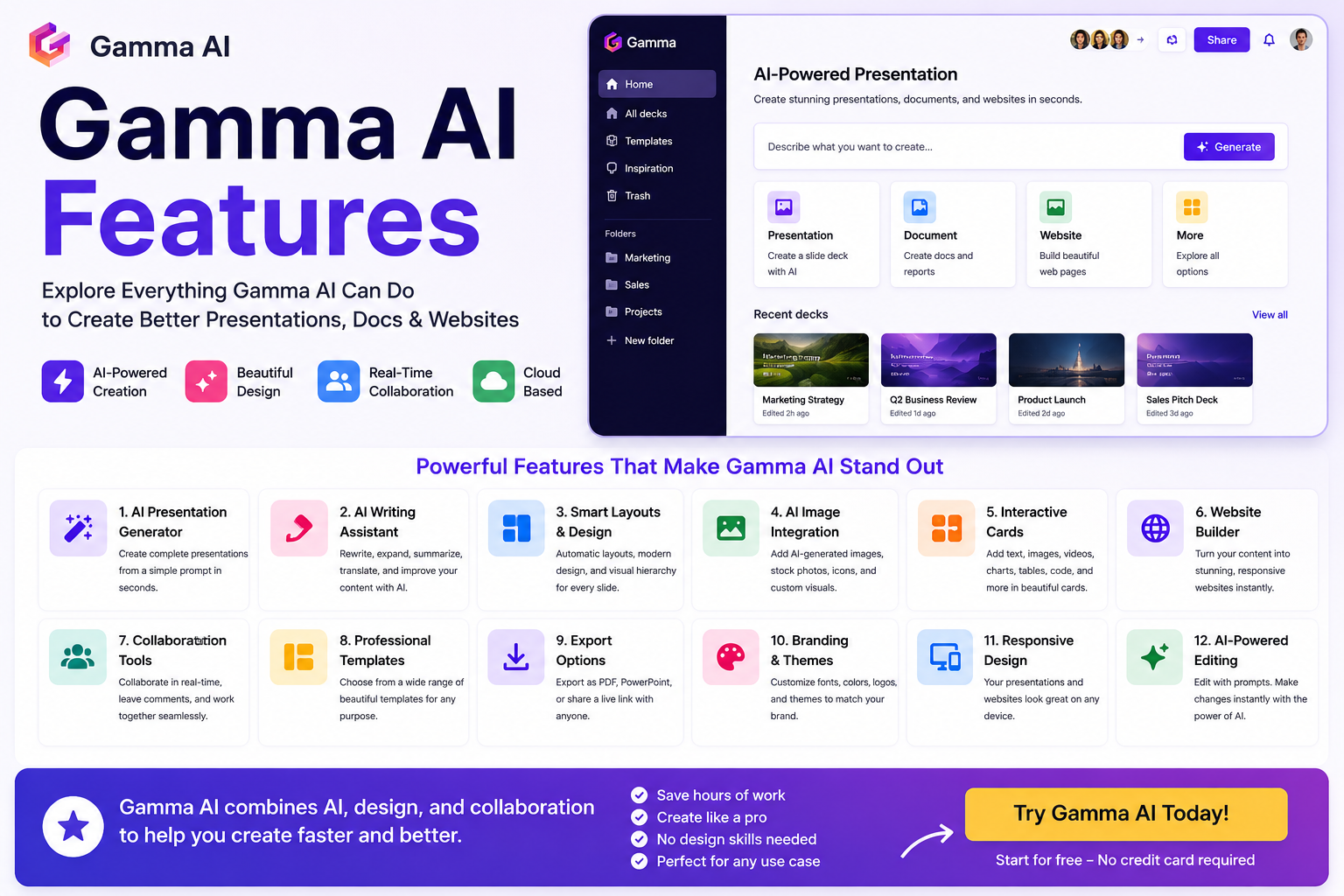

Gamma AI Features (2026)
Artificial intelligence has transformed the way we create presentations, documents, and websites. Among the leading AI-powered productivity tools, Gamma AI stands out for its ability to generate polished content in minutes instead of hours.
But what exactly can Gamma AI do?
In this guide, we’ll take an in-depth look at Gamma AI’s features, explain how each one works, and help you decide whether Gamma is the right tool for your workflow.
👉 Start Using Gamma AI for Free
https://gammaai.app
What Is Gamma AI?
Gamma AI is an AI-powered platform that helps users create:
- Professional presentations
- Interactive documents
- Simple websites
- Reports
- Pitch decks
- Training materials
- Project proposals
Instead of designing every slide manually, Gamma automatically creates layouts, organizes content, and applies professional design principles.
1. AI Presentation Generator
The most popular Gamma AI feature is its presentation generator.
Simply provide:
- Your topic
- Number of slides
- Audience
- Preferred language
Gamma automatically generates:
- Titles
- Slide content
- Images
- Icons
- Professional layouts
- Visual hierarchy
This dramatically reduces the time required to create presentations.
2. AI Writing Assistant
Gamma includes a built-in AI writing assistant that helps improve your content.
You can:
- Rewrite paragraphs
- Expand ideas
- Summarize text
- Improve grammar
- Change writing tone
- Translate content
- Generate new sections
Instead of switching between multiple AI tools, you can edit everything directly inside Gamma.
3. Automatic Design & Layout
Unlike traditional presentation software, Gamma automatically handles design decisions.
Features include:
- Smart spacing
- Responsive layouts
- Modern typography
- Balanced color schemes
- Built-in animations
- Clean visual hierarchy
Even users with no design experience can create professional-looking presentations.
4. Interactive Cards
One of Gamma’s standout features is its use of interactive content cards.
Cards can contain:
- Text
- Images
- Videos
- Charts
- Tables
- Code snippets
- Embedded content
- Links
This creates presentations that are more engaging than traditional slide decks.
5. AI Image Integration
Gamma can automatically enhance presentations with visuals.
Users can:
- Add AI-generated images
- Upload their own graphics
- Insert stock photos
- Add icons
- Embed media
Visual content is automatically positioned to match the presentation design.
6. Website Builder
Gamma is more than a presentation tool.
It can also generate:
- Personal portfolios
- Landing pages
- Company profiles
- Product pages
- Online documentation
- Knowledge bases
These websites are responsive and can be shared instantly via a web link.
7. Collaboration Features
Gamma supports team collaboration.
Users can:
- Share projects
- Invite collaborators
- Edit together
- Leave comments
- Manage workspaces
This makes Gamma suitable for businesses, agencies, and remote teams.
8. Templates
Gamma offers a growing library of professionally designed templates for:
- Business presentations
- Marketing plans
- Sales decks
- Startup pitches
- Educational lessons
- Project proposals
- Company reports
Templates help users get started faster while maintaining a consistent visual style.
9. Export Options
After creating a presentation, Gamma allows users to export or share their work in multiple ways.
Common options include:
- PowerPoint (PPTX)
- Online presentation links
This flexibility makes it easy to present, print, or collaborate.
10. Branding Tools
Paid plans provide branding customization such as:
- Custom fonts
- Brand colors
- Logos
- Themes
- Visual consistency across projects
These features are especially valuable for businesses and agencies.
11. Responsive Design
Gamma presentations automatically adapt to different screen sizes.
Whether viewed on:
- Desktop
- Laptop
- Tablet
- Smartphone
the content remains readable and visually appealing.
12. AI-Powered Editing
Instead of manually redesigning slides, Gamma lets you edit with simple prompts.
For example:
- “Make this shorter.”
- “Add more statistics.”
- “Rewrite professionally.”
- “Simplify for students.”
The AI updates your content instantly while preserving the overall design.
13. Easy Sharing
Sharing is one of Gamma’s strongest features.
Users can:
- Share via URL
- Collaborate in real time
- Present directly in the browser
- Avoid sending large presentation files
This streamlines teamwork and client communication.
Who Should Use Gamma AI?
Gamma AI is well suited for:
- Students
- Teachers
- Marketers
- Sales professionals
- Startup founders
- Consultants
- Business owners
- Freelancers
- Content creators
Anyone who regularly creates presentations or documents can benefit from its AI-powered workflow.
Pros of Gamma AI Features
- Fast AI presentation creation
- Excellent modern design
- Easy collaboration
- AI writing assistance
- Website generation
- Responsive layouts
- Beginner-friendly interface
- Professional templates
- Cloud-based workflow
Limitations
While Gamma offers many powerful features, there are a few limitations:
- Some advanced features require a paid plan.
- AI-generated content may need manual review.
- PowerPoint exports may require additional formatting.
- Highly customized designs are still easier in dedicated design software.
Final Verdict
Gamma AI combines AI writing, presentation design, website creation, and collaboration into one intuitive platform.
Its feature set makes it an excellent choice for professionals, educators, students, and businesses looking to save time without sacrificing quality.
If you create presentations regularly, Gamma AI can dramatically improve your workflow and productivity.
👉 Try Gamma AI Today
https://gammaai.app
Frequently Asked Questions
What is the best feature of Gamma AI?
The AI Presentation Generator is Gamma’s most popular feature because it can create complete presentations from a simple prompt.
Can Gamma AI create websites?
Yes. Gamma allows users to generate responsive websites, portfolios, and landing pages without coding.
Does Gamma AI include AI writing?
Yes. Gamma includes built-in AI tools for rewriting, expanding, summarizing, translating, and improving content.
Can I collaborate with my team?
Yes. Gamma supports shared workspaces, collaboration, and commenting features.
Related Articles
- Gamma AI Review
- Gamma AI Pricing
- Gamma AI Free vs Pro
- Is Gamma AI Worth It?
- Gamma AI Alternatives